SolanaTap:
Trade Any Terminal, One Extension
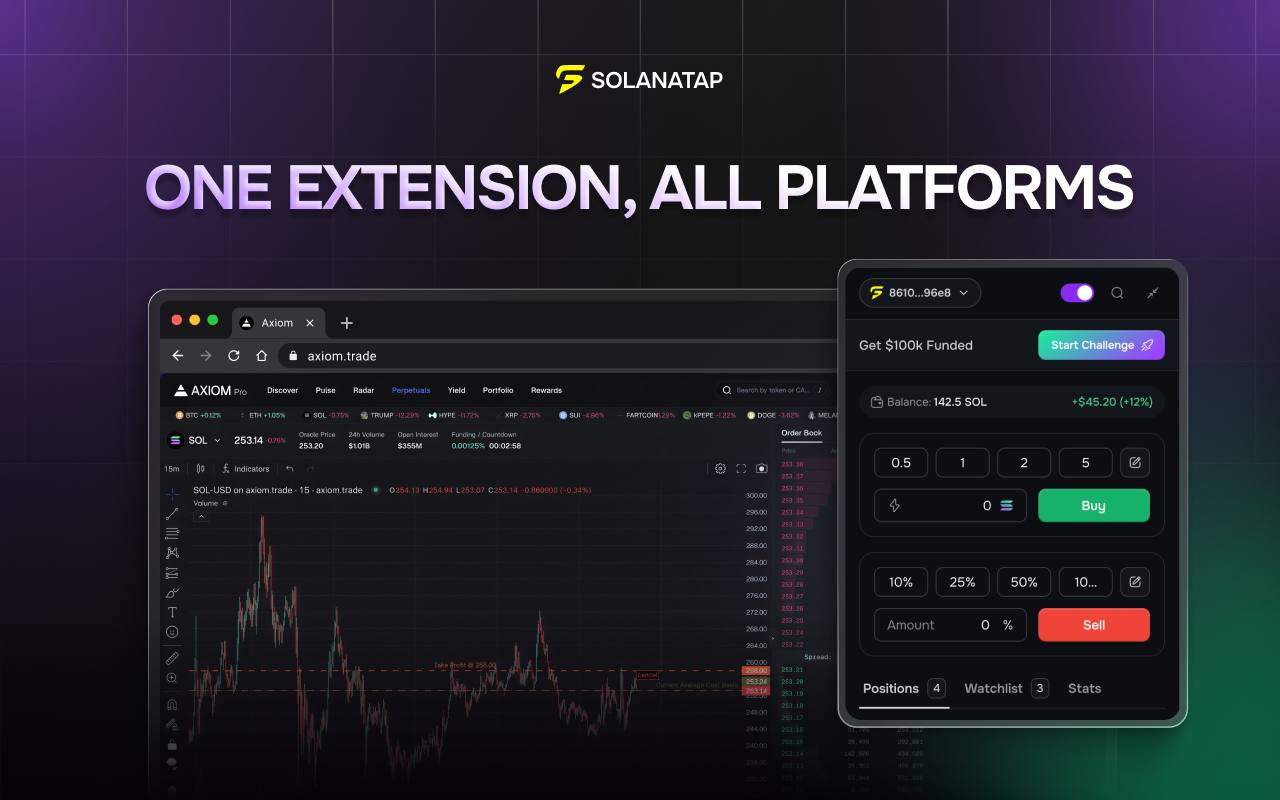
SolanaTap is SOLANAFUNDED's official Chrome extension. Once installed, funded traders can connect their funded accounts directly to external trading terminals — no dashboard switching, no re-authentication.
What is SolanaTap?
SolanaTap is a Chrome browser extension built and maintained by the SOLANAFUNDED team. It's designed specifically for funded traders who want to execute trades on external terminals without needing to log in and out of the SOLANAFUNDED platform every time.
Think of it as a bridge: SolanaTap sits in your browser, holds your funded account session, and lets you connect it to supported third-party trading platforms. You trade on the terminal you prefer — SolanaTap handles the account authentication in the background.
Key features
- Connect your SOLANAFUNDED funded account to external trading terminals
- Execute trades directly from your browser without switching dashboards
- Persistent session management — stays connected across browser sessions
- Built and officially maintained by the SOLANAFUNDED development team
- Free for all active funded traders on SOLANAFUNDED
Who is SolanaTap for?
Active funded traders who already have a funded SOLANAFUNDED account and want the flexibility to trade from their preferred terminal rather than being locked into a single interface.
SolanaTap is most useful if you:
- Have an existing workflow on a third-party crypto trading terminal
- Want to use advanced charting tools not available on the main SOLANAFUNDED platform
- Trade across multiple accounts and want a unified browser-level experience
- Prefer browser-based trading over logging into separate dashboards
If you're new to SOLANAFUNDED and don't have a funded account yet, you'll need to pass the challenge first. Use code SFDON30 for 30% off.
How to set up SolanaTap
Get a funded account on SOLANAFUNDED
SolanaTap requires an active funded account. If you haven't passed the challenge yet, get started at solanafunded.com — use code SFDON30 for 30% off.
Access SolanaTap from your SOLANAFUNDED dashboard
Once funded, log into your SOLANAFUNDED account. Look for the SolanaTap section in your dashboard — it will provide the direct Chrome Web Store link to the extension.
Install the Chrome extension
Click "Add to Chrome" on the Chrome Web Store listing. The SolanaTap icon will appear in your browser toolbar once installed.
Authenticate with your funded account
Click the SolanaTap extension icon and sign in with your SOLANAFUNDED credentials. Your funded account will be linked to the extension.
Connect to your trading terminal
Navigate to a supported external trading terminal. SolanaTap will detect the terminal and offer to connect your funded account. Approve the connection and begin trading.
Need a funded account first?
SolanaTap is free for all active funded traders. Get your account with code SFDON30 for 30% off the challenge.
Get Funded → Code SFDON30SolanaTap FAQ
Trade smarter. Get funded first.
Pass the challenge with code SFDON30 for 30% off — then unlock SolanaTap and trade from any terminal.
Get Funded Now → Code SFDON30